Overlap
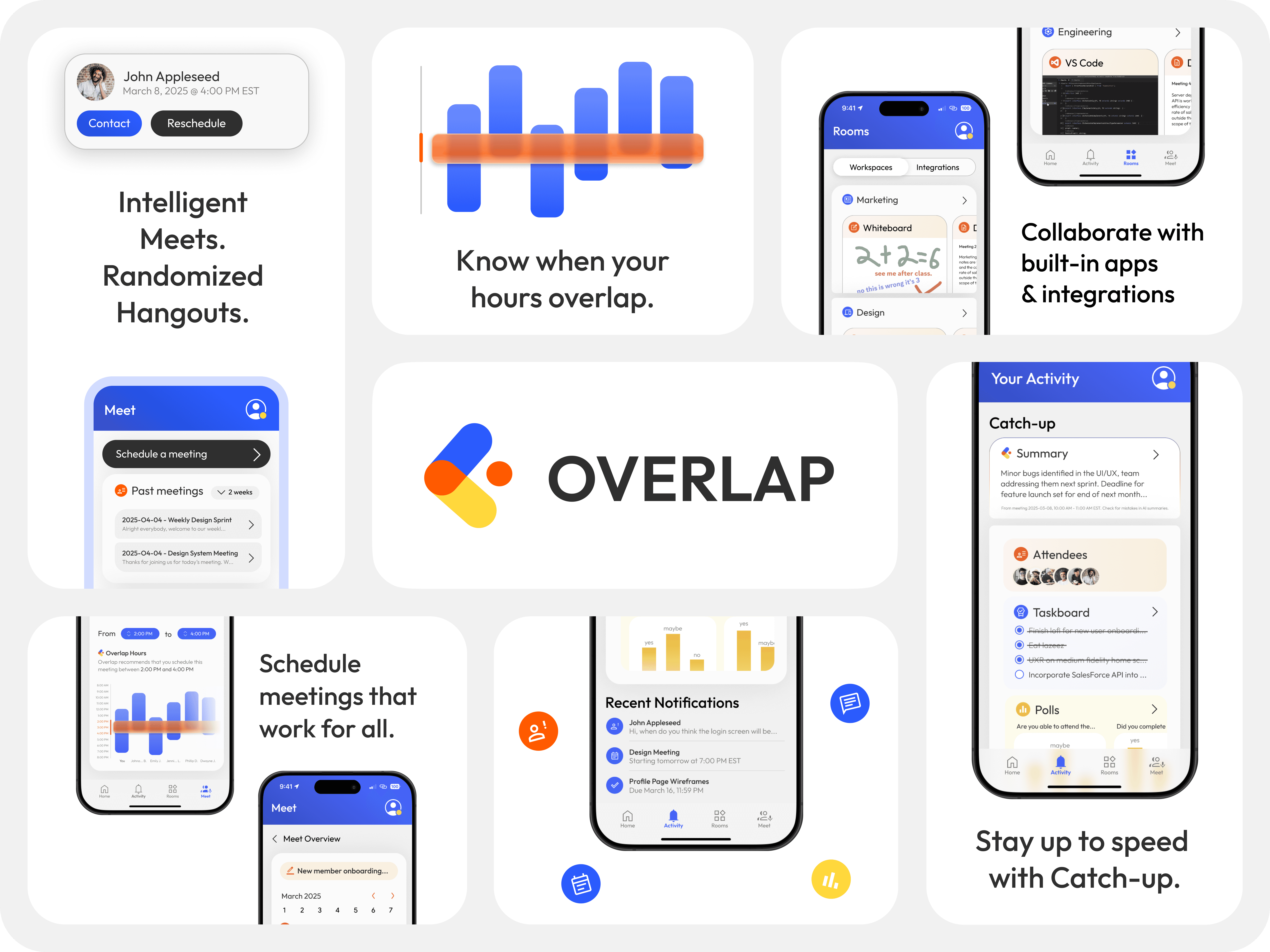
Overlap is a remote-work communication platform that strengthens team connection, streamlines cross–time zone collaboration, and supports smoother onboarding for faster, clearer project alignment.
Product Design
Project Overview
GBDA Soc Innovation Challenge / Second Place
Timeline: 7 hours (2025)
My Role: Product Thinking, Business Modelling
Overlap was designed to tackle the core challenges of modern remote work: staying connected, staying organized, and helping new teammates transition with confidence. Distributed teams often face fragmented communication, unclear project ownership, and onboarding processes that vary wildly depending on the manager or time zone. Overlap brings everything into one unified space—real-time messaging, async updates, project threads, and intuitive onboarding flows that guide new members from day one. By combining meaningful team connection with efficient communication and structured transitions, Overlap ensures that collaboration feels natural, clarity comes faster, and no one ever feels out of sync, no matter where they are in the world.
Onboarding
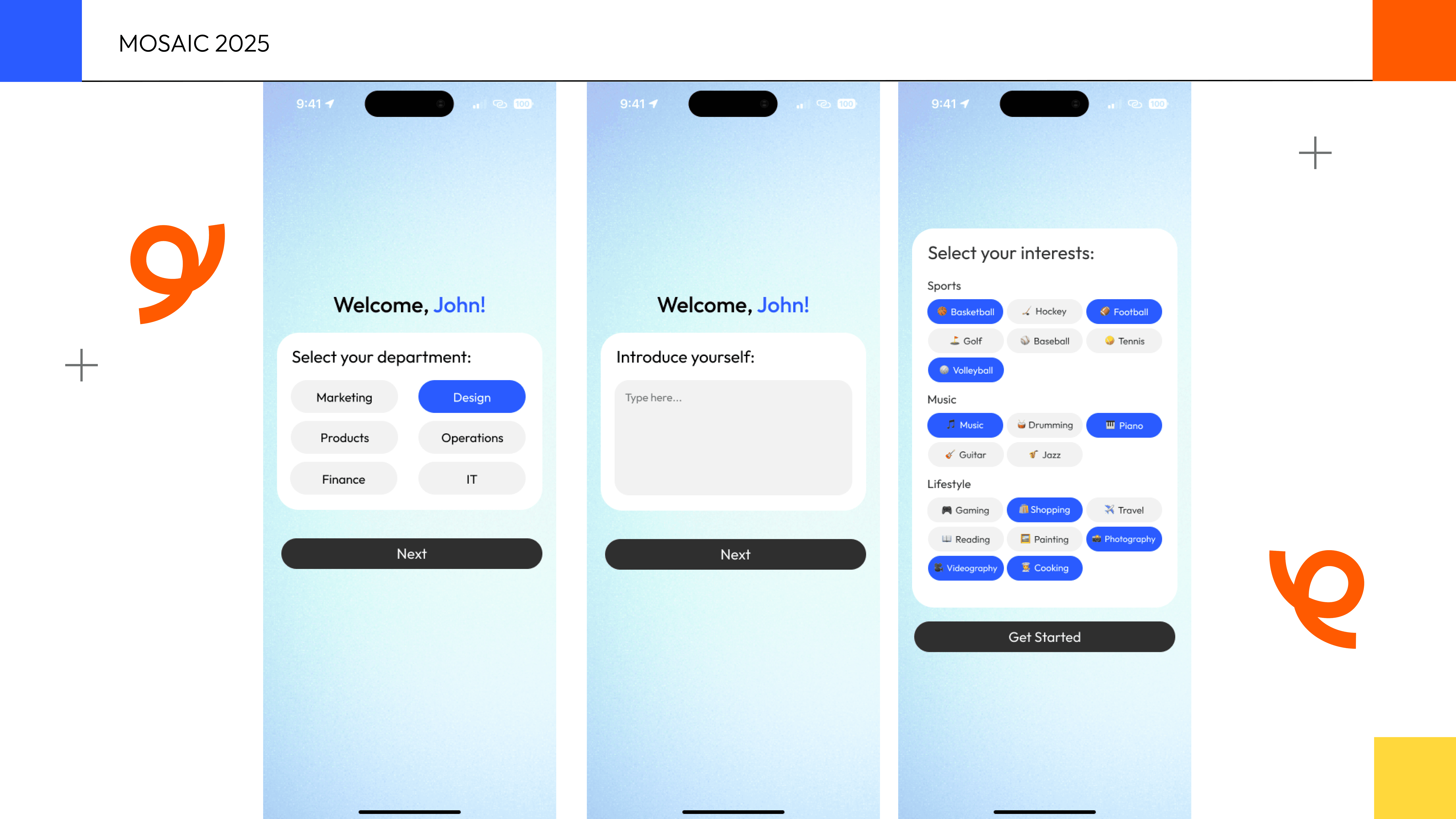
Overlap includes a connection-focused onboarding flow that goes beyond job titles. Instead of only collecting your role and department, it invites you to share a short personal bio and select your interests. This information appears on your profile, giving teammates an easy way to connect with you on a more human level and helping remote relationships form naturally, even across time zones.
Hangouts
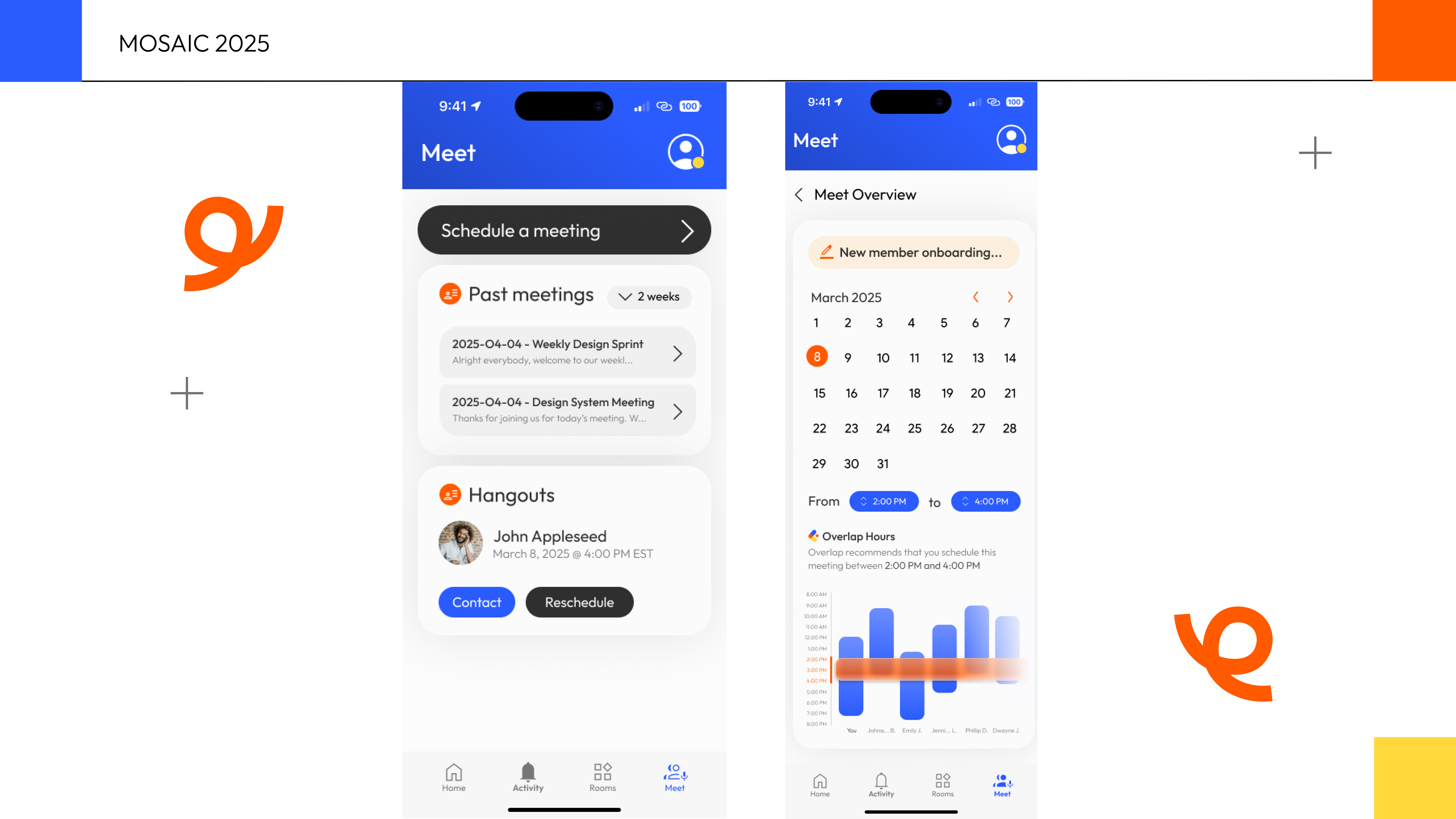
The Meet feature helps remote teammates build meaningful connections beyond their usual circles. In addition to joining department-wide and company-wide meetings, Overlap pairs you with a coworker for a casual Hangout based on your availability, preferred frequency, and shared interests from onboarding. It’s a simple way to spark authentic relationships and strengthen team culture, no matter the distance.
Activity and Rooms
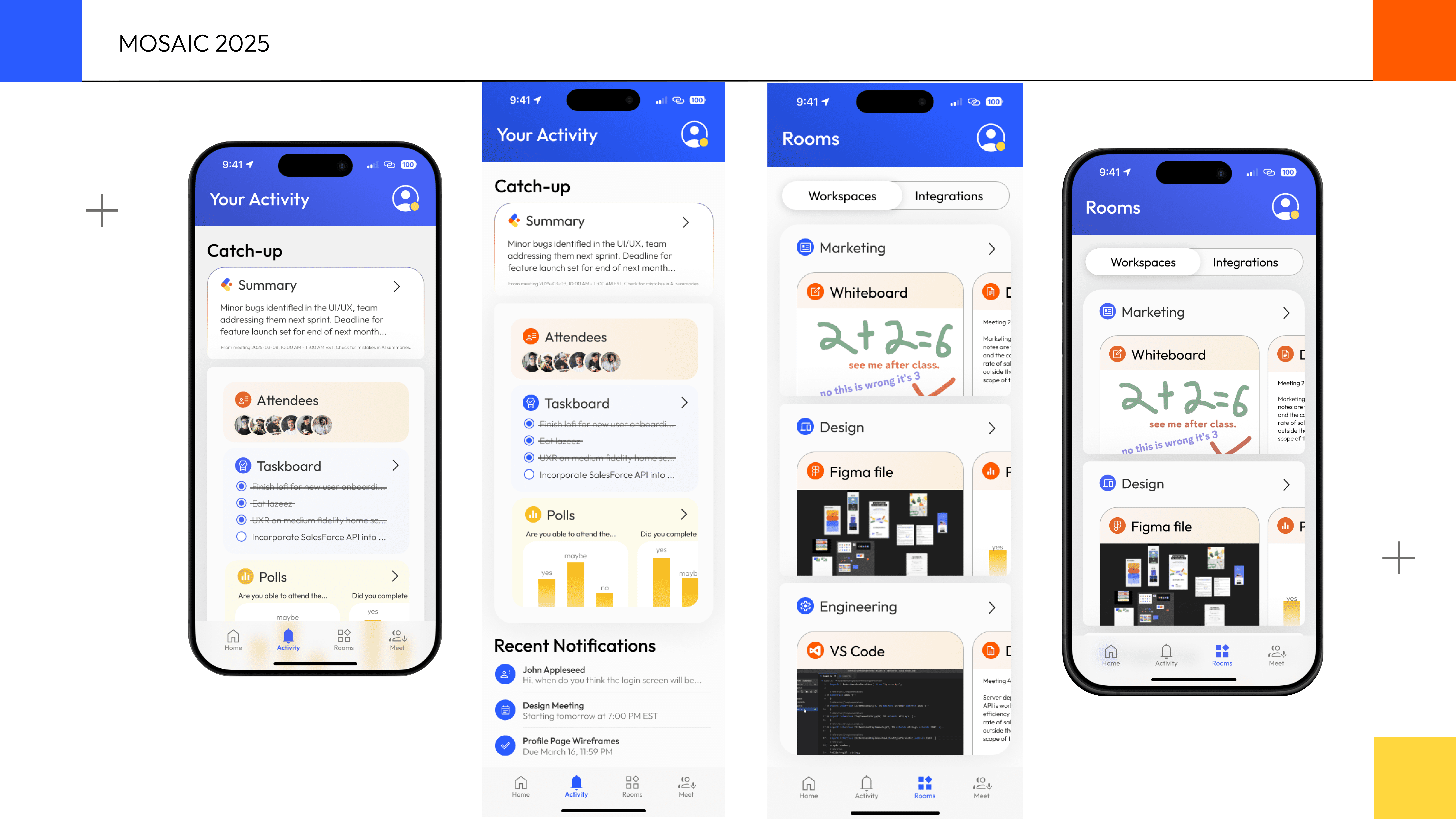
The Activity tab makes it easy to stay aligned, even if you missed a meeting. You can review meeting summaries, check who attended, revisit the taskboard, and browse any polls that were shared. Within Rooms, you can also explore each department’s workspace, complete with shared community files, giving you a clear and organized view of everything your team is working on.
Lessons Learned
Working on Overlap taught me how important it is to design tools that balance efficiency with genuine human connection. Remote teams don’t just need clearer communication—they need spaces that help them understand each other, build trust, and collaborate confidently across time zones. By focusing on thoughtful onboarding, interest-based connections, and accessible meeting history, I learned how small design decisions can create a more supportive, aligned, and human remote-work experience. Overlap ultimately reaffirmed that great workplace tools don’t just streamline tasks—they bring people closer together.